Posts filed under ‘Nutanix’
Nutanix NTP Issues & Troubleshooting.
The below commands helps to troubleshoot and fix NTP issues on Nutanix Cluster. You can run these command by logging to any of the CVM’s.
To check the date on all the nodes
allssh ssh root@192.168.5.1 date
Virtualized Domain Controller Nightmare on Nutanix Hyper-V Cluster
Hi Guys
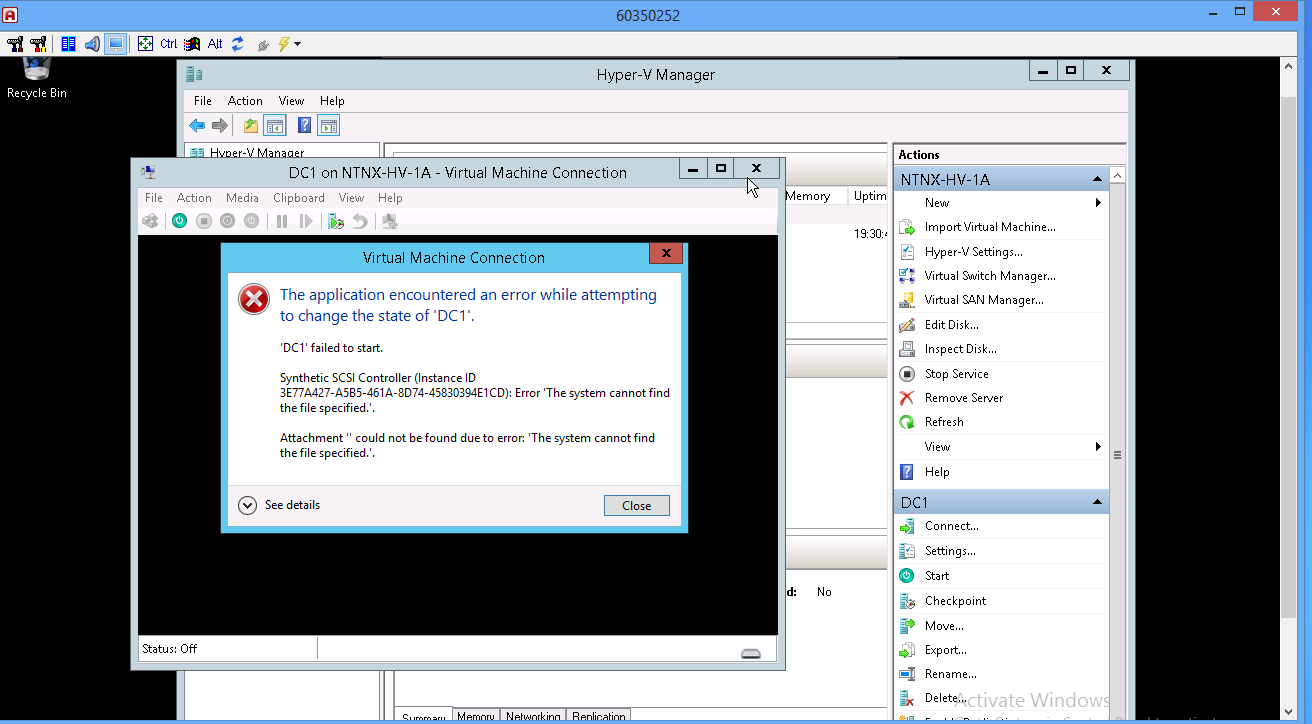
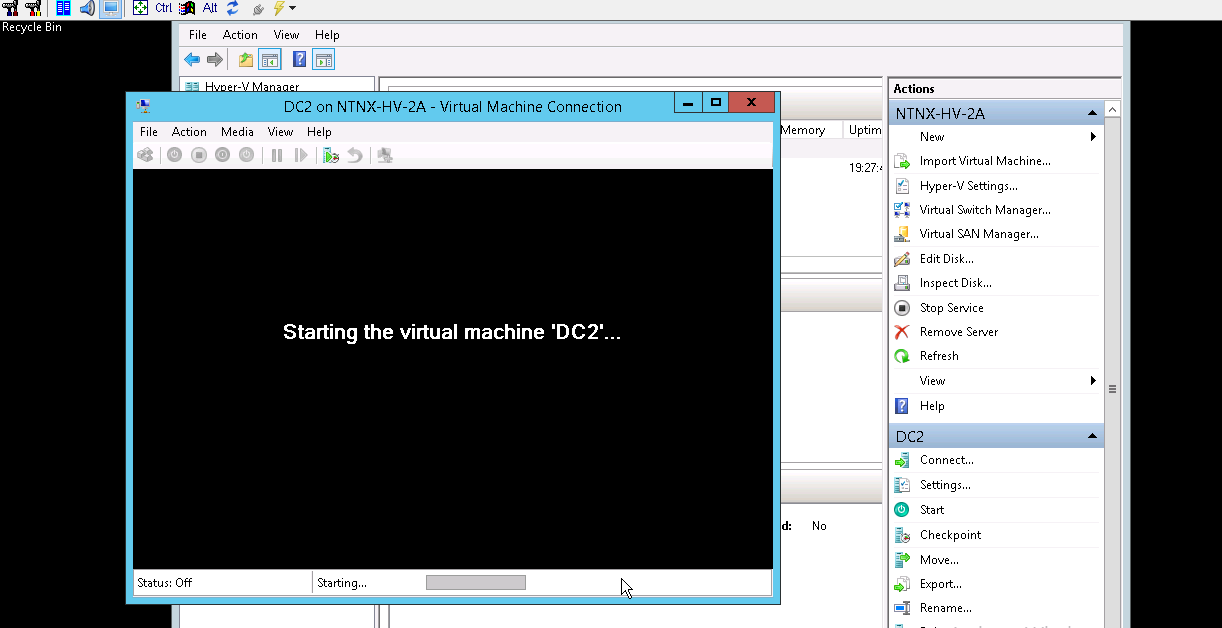
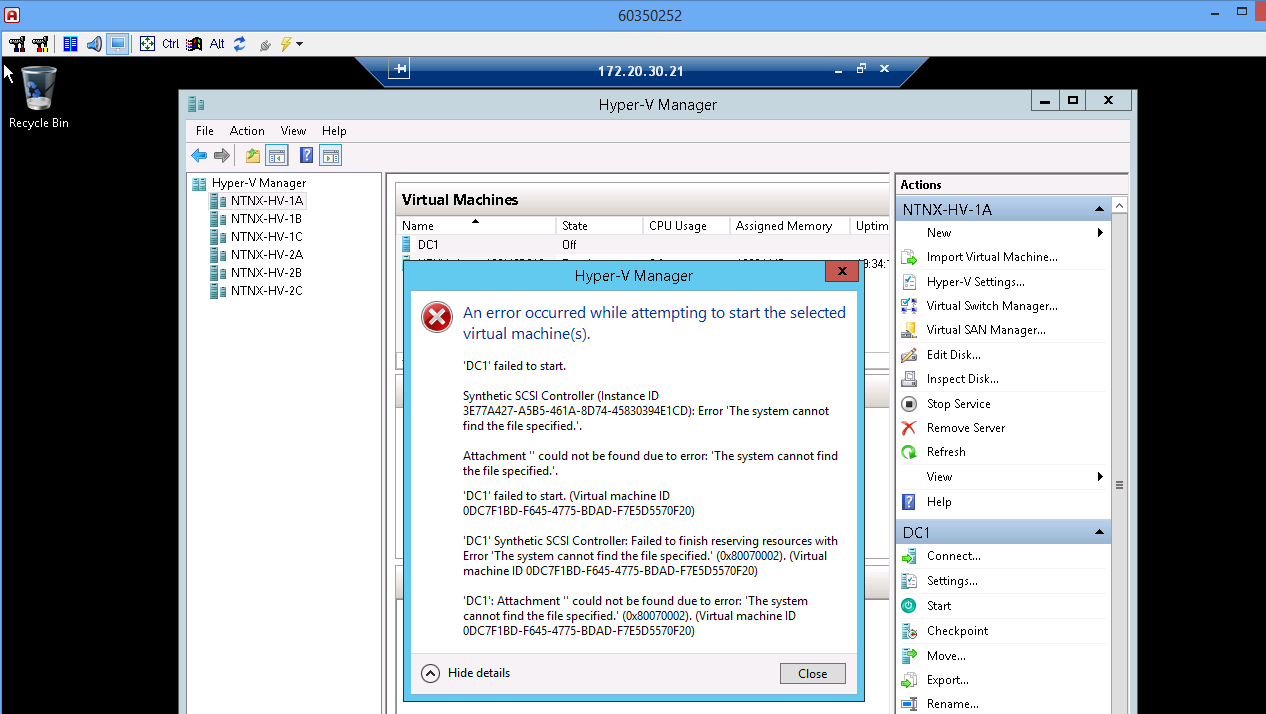
We recently deployed a Hyper-V Nutanix Cluster , and everything looked fine until we hit the wall. For some reasons if the VM(Domain Controllers) go down you will not be able to power it on . The reason behind this that the Hyper-V Cluster on Nutanix uses SMB3 based share as the shared storage . Unless the Hypervisor is able to authenticate the access to the SMB3 share is blocked. In our case it was not possible because the 2 DC VM’s were powered off and unable to power it on.(Chicken and Egg situation)
Error Message I received:
The below Nutanix article explains the below:
Source:https://portal.nutanix.com/#/page/kbs/details?targetId=kA032000000TTGWCA4
So the conclusion is that you must need either a physical domain controller or a DC VM that does not sit on the SMB3 share. Hopefully the Windows 2016 may come up with a solution for this scenario.
Update1: As a last resort , I changed the Virtual disk path from on the DC VM from the FQDN of the cluster name to the IP address of the cluster , voila I was able power it on the 2 VM’s(but I do not have any clue how this has worked)
Nutanix Best Practices for VMware
Hi Folks
Recently we got an opportunity to work with Nutanix Converged Solution . When we deployed there was some customization that we need to make on HA / DRS Cluster settings to realign the configuration according to Nutanix – VMware Best Practices
(These information were provided by the support team)
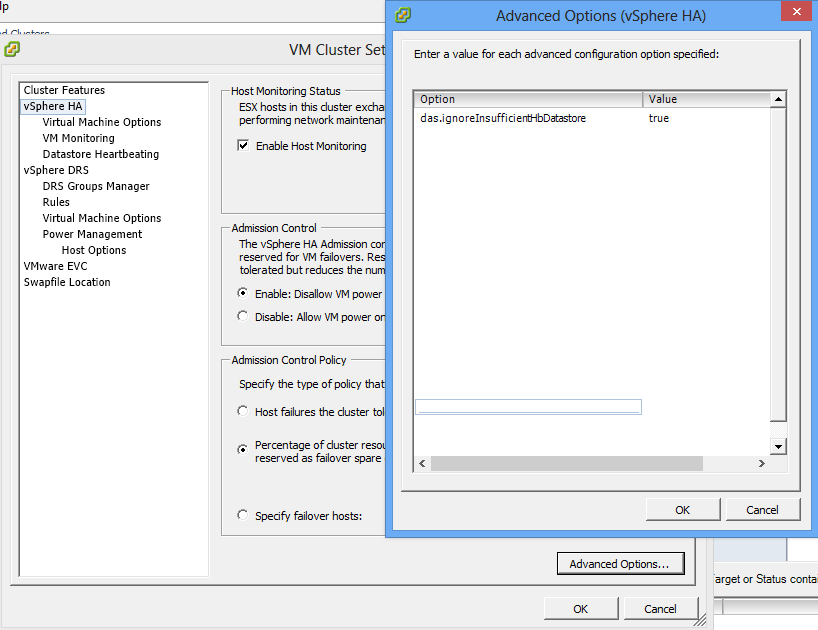
Note1: In Nutanix Cluster is created with single Datastore the Vsphere HA will popup error related to HA Heartbeat stating insufficient datastore for heartbeat , that could be suppress as below
Note2: In HA Cluster the VM restart priority and Host Isolation Response need to be changed for CVM’s as below:

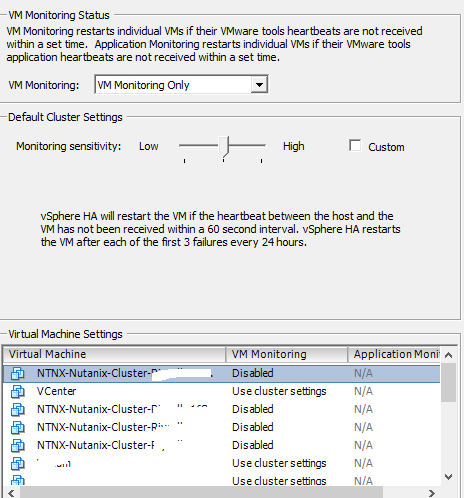
Note3: The VM Monitoring for CVM’s need to be disabled
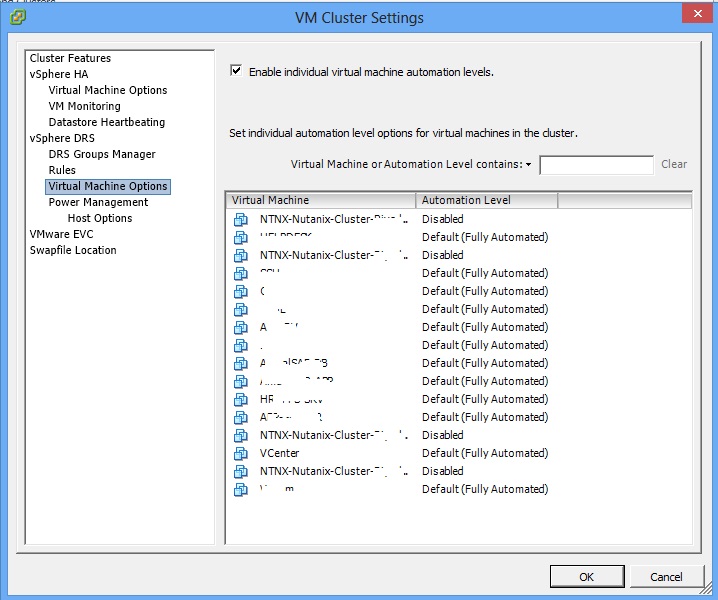
Note4: In DRS Cluster the Automation level for CVM’s need to be disabled as well

 Hope you like it..